Start here
Add your first purchase order
How to type an order in by hand, and why a delivery needs one first.
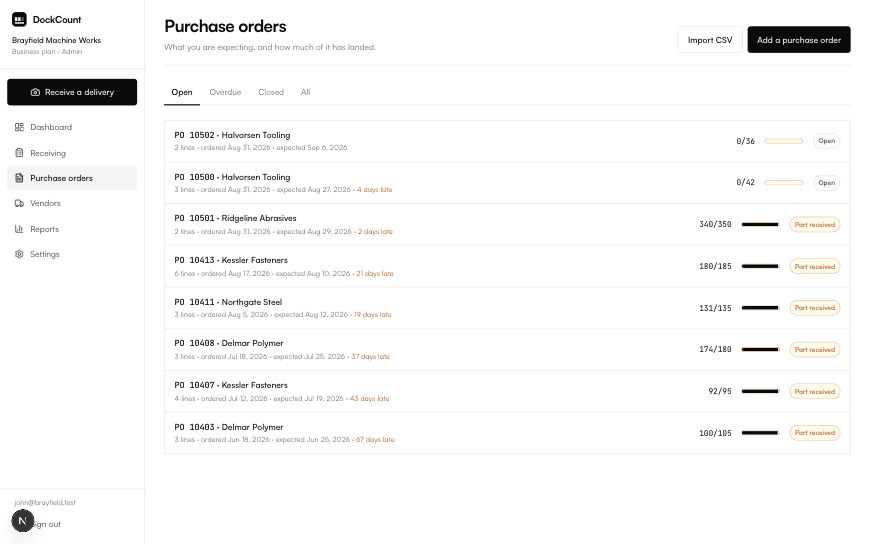
Before you can receive anything, the order has to be on file. This is the one job you do in advance rather than at the bay, and it takes a couple of minutes.
- 1Go to Purchase orders and choose to add one.
- 2Give it the PO number your supplier will quote, and pick or type the vendor.
- 3Add a line for each thing you ordered: the part number, a description, and how many.
- 4Save. It is now open and waiting for goods.
What each field is for
| Field | What it does |
|---|---|
| PO number | How you and the supplier both refer to this order. It is what gets matched against the paperwork on the pallet. |
| Vendor | Who is sending it. Used for the vendor scorecard later. |
| Part number | Your code for the item. The main thing a delivery is matched on. |
| Description | Plain words for the item. Used as a fallback when part numbers disagree. |
| Quantity | How many you ordered. The number everything is compared against. |
| Unit cost | Optional. Only used to value what went missing. |
Put another way
A shopping list you write before going out, not a receipt you keep afterwards. Its whole job is to exist before the goods do.
Worth knowing
Part numbers do not have to match perfectly between your order and the supplier’s paperwork. How matching works explains how much disagreement it can absorb.
Got a lot of them?
Typing orders in one at a time is fine for a handful. If you have dozens, bring them in from a spreadsheet instead.
Did this page miss something?
If you came here with a question and left without the answer, that is a fault in the page rather than in the question. Tell us what you were trying to do and we will write it up, usually the same week.