At the bay
The receiving log
Finding a delivery again by vendor, order number, date, or whether it went wrong.
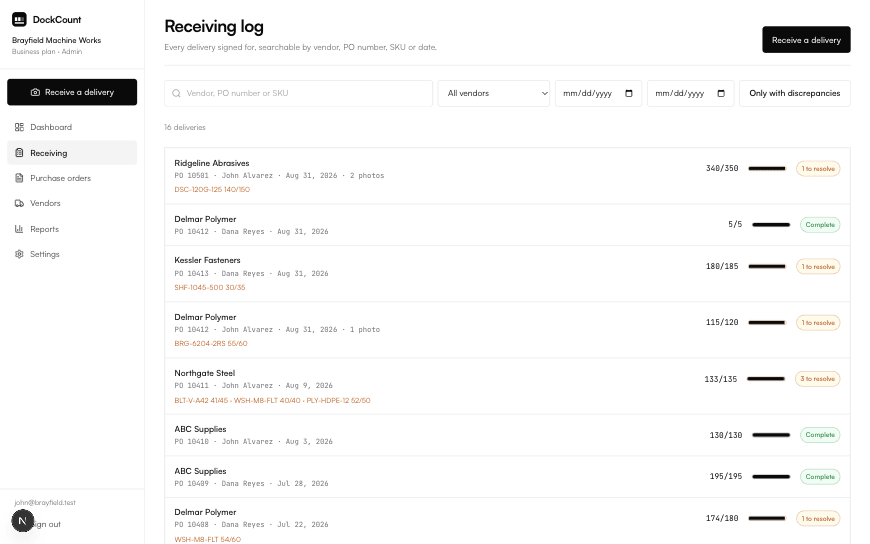
Every delivery you confirm goes into one list, newest first. This is what you open when somebody asks whether an order ever turned up, or what state it was in when it did.
Ways to narrow it
- Search by vendor name or PO number.
- Filter to one vendor.
- Filter to a date range.
- Show only deliveries with something flagged, which is usually the fastest route to what you actually want.
Put another way
Bank statement search. You rarely want every transaction, you want the one from that shop in March.
What each row tells you
Vendor, order number, who signed for it, the date, and how much of what was expected actually arrived, shown as a bar so a page of them can be scanned rather than read.
Getting it out
On the Pro plan, whatever you have filtered to can be exported as a spreadsheet, filters and all.
Did this page miss something?
If you came here with a question and left without the answer, that is a fault in the page rather than in the question. Tell us what you were trying to do and we will write it up, usually the same week.